 Listing Camera
Short answer: Bright windows go white in listing photos because the light outside is far brighter than the room, and a camera can't capture both in one frame. Shoot that room when direct sun isn't coming through, turn on every light, use blinds evenly, angle the window to the side of the frame and tap to expose for the room. A phone can't fully recover a sunlit view behind a dark room.
The problem is simple physics. On a sunny day the light coming through a window can be many times brighter than the light on the far wall of the room. Your eyes adjust as you look around, so the room feels fine. A camera has to capture both at once, and it can only stretch so far.
Professional photographers deal with this by taking several exposures and blending them, by adding flash, or both. Recent iPhones do a version of the blending automatically, which is why they handle windows far better than phones did a few years ago. But they still struggle when the gap is huge. Most of the fix is reducing that gap before you shoot.
1. Pick the right time for that room
This matters more than any setting. A window with direct sun streaming through it is the worst case: blazing glass, hard bright patches on the floor and deep shadows beside them. The same window an hour or two later, when the sun has moved to the other side of the house, is easy.
- Notice which rooms get direct sun at what time of day and shoot them when they don't.
- A bright overcast day is a gift for window-heavy rooms: the light outside is softer and the gap is smaller.
- Plan the exterior around the sun first, then fit the interiors around it. My guide to the best time for the exterior explains how to read which way a house faces.
2. Turn on every light in the room
You can't make the window darker, but you can make the room brighter. Lamps, overheads, sconces and under-cabinet lights all raise the light inside and close the gap. It's the same reason I turn on every light in every room, but here it's doing real technical work.
3. Use the blinds, but don't hide the windows
- Open blinds and curtains evenly across a wall so the room looks tidy.
- On a window with direct sun, tilt the slats partly closed or draw a sheer curtain. It softens the light without making the room look shut up.
- Don't close everything. Buyers want to see that a room has windows, and a wall of drawn blinds looks like you're hiding something.
4. Change your angle
Shooting straight into the brightest window is the hardest version of the shot. Move so the window sits beside you or at the side of the frame and the light falls across the room instead of straight into the lens. You'll often get a better composition too, with the window light shaping the furniture instead of silhouetting it.
If the view is the selling point, take one shot that features it at 1x, with the window filling more of the frame and the exposure set for the outside, as an extra detail photo.
5. Tell the phone what to expose for
- Tap on a mid-tone wall or piece of furniture, not on the window. Tapping the window makes the camera darken the whole room.
- After you tap, slide the sun icon next to the focus box up or down a little until the room looks right.
- Accept a slightly bright window over a dark room. In a listing photo, the room is the subject.
- Hold still for a beat after the shutter, especially in dim rooms where the phone blends several frames.
- Wipe the lens. A smudge turns bright windows into a hazy glow across the whole frame.
6. Be honest about what a phone can't do
With a wall of glass facing the afternoon sun, no phone will give you a perfectly lit room and a crisp, detailed view in one frame. Neither will one photo from a professional camera. Pros get that look by blending several exposures, using flash, or doing a separate window exposure and combining them in editing. That takes gear and time.
And no edit can bring back detail the camera never captured. If the window is pure white in the original, editing can make the room look better, but it can't recover the trees outside. So get as close as you can in camera with the steps above, and if a stunning view is the main reason someone would buy the house, that's a listing where I'd hire a professional. I lay out when that's worth it in your options for listing photos.
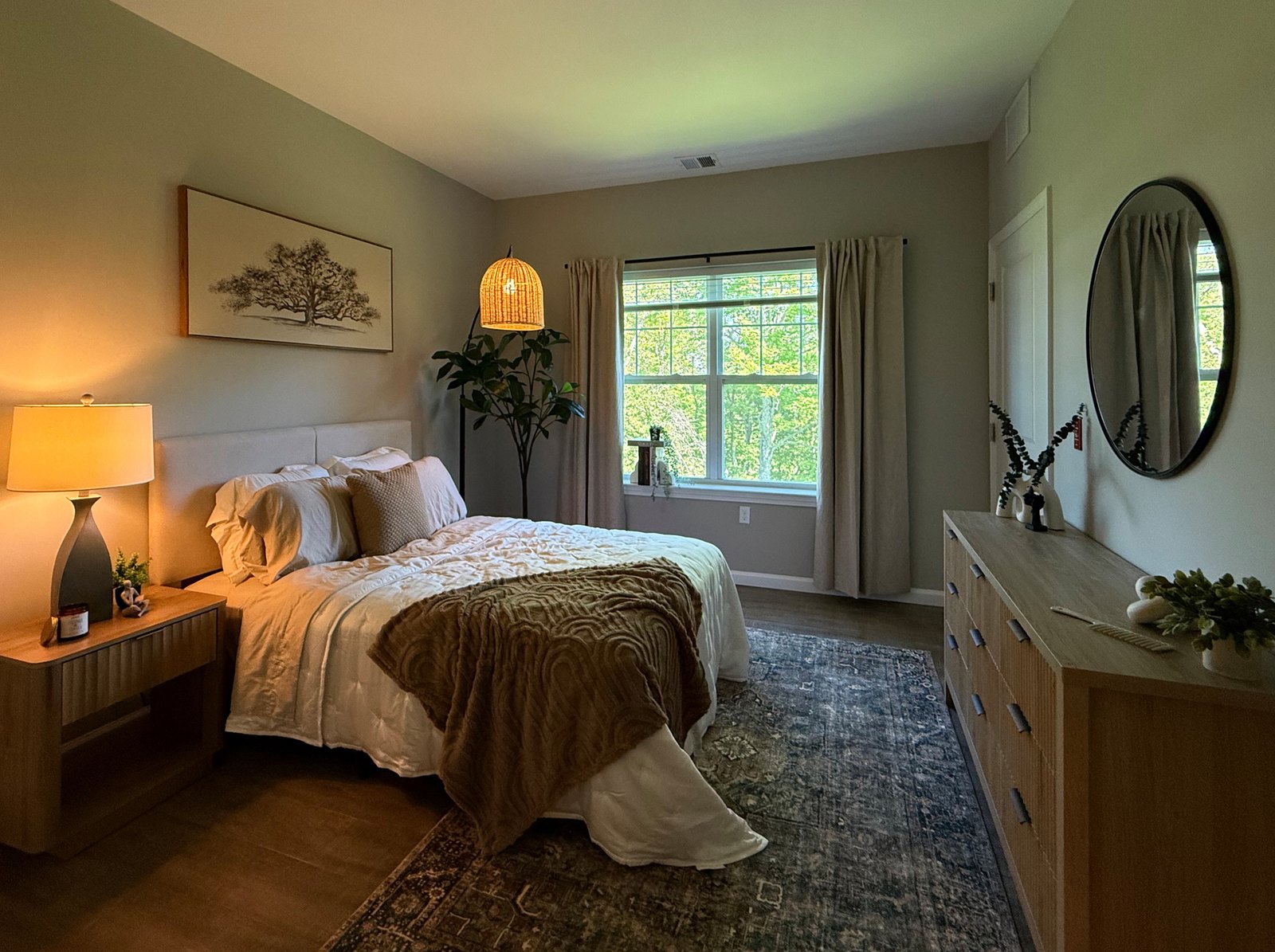
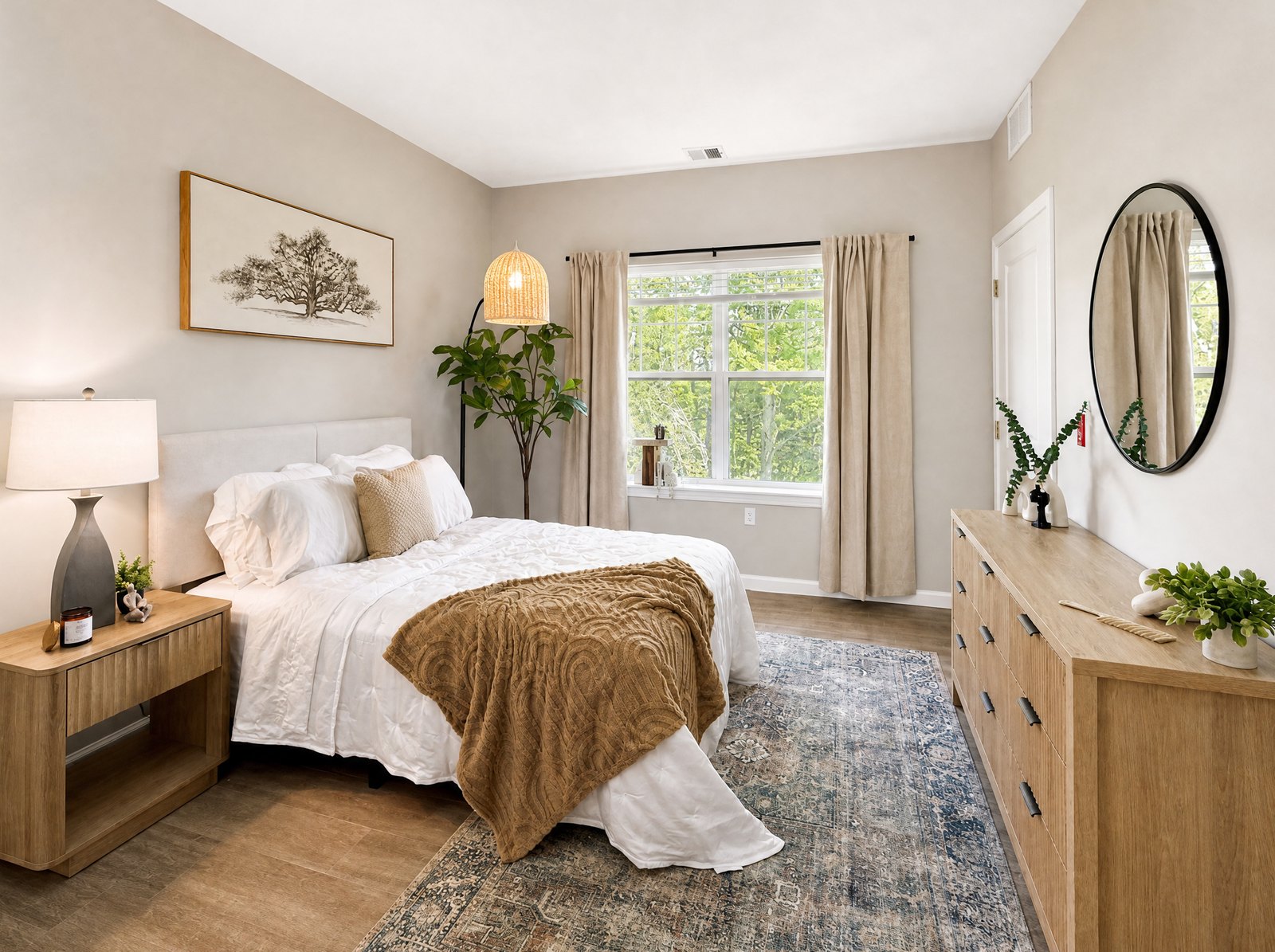
The short version
- Shoot each room when direct sun isn't coming through its windows.
- Every light on to brighten the room.
- Blinds even; soften direct sun with slats or sheers, don't hide the windows.
- Angle away from the brightest window.
- Tap the wall, not the window, and favor the room over the view.
Related: how to take listing photos with an iPhone and how to photograph a small bathroom.
Dim rooms beside bright windows are exactly what I built Listing Camera to improve. The iPhone app evens out light, color and exposure in the background, about 30 to 40 seconds per photo, so you can keep shooting. It doesn't add, remove or stage anything, and the shooting habits above still make the biggest difference. Free to try with 3 enhancements.