 Listing Camera
Short answer: The most common listing photo mistake is shooting from eye level with the phone tilted down, which makes rooms feel cramped and walls lean. Other frequent ones are lenses that are too wide, dark rooms, toilet seats up, cars in the driveway and over-editing. Each has a simple fix, and none needs better gear.
I've photographed more than 2,500 homes over almost 20 years, and I look at a lot of other people's listing photos too. The same mistakes come up again and again. None of them need better gear. They need a habit change, usually a small one. I can't put a number on how many showings a bad photo costs, but I've watched plenty of listings get a second life after a reshoot that fixed exactly these things.
Camera and framing
1. Shooting from eye level
From six feet up you look down at the floor, furniture shrinks and rooms feel cramped. Fix: hold the camera around chest height, roughly four to five feet off the floor, a little higher in kitchens and a little lower in small bathrooms.
2. Walls that lean
Tilt the phone down even slightly and every wall and door frame leans inward, so the room looks like it's tipping over. Buyers feel it even when they can't say why. Fix: turn on the grid, hold the phone perfectly upright, and line a door frame up with a vertical grid line. Need more floor? Lower the phone instead of tilting it.
3. Going too wide
The 0.5x lens is useful, but at the edges it stretches furniture and makes rooms look bigger than they are. A buyer who walks into a room that's smaller than the photo promised is a disappointed buyer. Fix: use 0.5x for small and medium rooms, 1x for big rooms and views, and keep furniture away from the frame edges. Never pinch to zoom; walk closer instead.
4. Shooting in portrait
Listing sites and the MLS display horizontal photos best. A vertical photo usually shows up small, with bars down each side. Fix: shoot every listing photo in landscape and save vertical frames for social posts.
Light
5. Leaving lights off
A room with dark lamps and a dark kitchen looks closed up and gloomy. Fix: turn on every light, including lamps, under-cabinet lights and the range hood, and replace dead bulbs. Try to keep bulbs in one room the same color, all warm or all cool, so the photo doesn't have a patchwork of yellow and blue.
6. Exposing for the window
Tap on a bright window and the camera darkens the whole room to match it. You get a nice view and a cave around it. Fix: tap on a mid-tone wall, nudge brightness up a touch if needed, and shoot bright-window rooms when the sun isn't pouring straight in.
7. A smudged lens and shaky hands
Phones live in pockets. A fingerprint on the lens gives you a hazy, glowing photo that no edit fully fixes, and a little movement in a dim room gives you soft detail. Fix: wipe the lens before every shoot, brace your elbows, and hold still for a beat after you tap the shutter.
The room itself
8. Toilet seats up and bathroom clutter
It's the classic. Add toothbrushes, razors, bottles on the tub ledge and a bath mat, and a clean bathroom looks used. Fix: seat and lid down, counters clear, shower bottles out, matching towels folded or none at all.
9. Cluttered counters and personal photos
A camera exaggerates clutter. Mail, magnets, small appliances and family photos all compete with the room for attention, and personal items raise privacy issues. Fix: clear surfaces to one to three simple items. My photo prep checklist goes room by room.
10. You in the mirror
Mirrors, glass doors, the oven door and dark TV screens all reflect the photographer. Fix: shoot mirrors at an angle rather than straight on, step out of the reflection, and check the frame before you move on. Turn off the flash; it bounces straight back.
11. TVs on, fans spinning
A glowing TV pulls the eye, and a ceiling fan in motion shows up as a blur. Fix: TVs and screens off, fans stopped, before you start shooting.
Outside
12. Shooting the front with the sun behind the house
The facade falls into shadow and the sky goes white, so the first photo a buyer sees is the gloomiest one in the set. Fix: work out which way the house faces and shoot the front when the sun is on it. Here's how to pick the best time for the exterior.
13. Cars, bins and hoses in the shot
A car in the driveway hides the house and dates the photo; trash bins and a tangled hose make it look neglected. Fix: cars out of the driveway and off the street in front if possible, bins out of sight, hoses and toys put away.
The set
14. A weak first photo, or a set out of order
Leading with a bathroom, a close-up or a dark interior wastes your best moment. Jumping randomly between rooms makes the house hard to picture. Fix: open with the strongest front exterior, then the best interiors, then follow the flow of the house. Cut near-duplicates and make sure no major room is missing. The shot list by room and the shot-list generator help here.
15. Over-editing, or editing the house instead of the light
Neon-green grass, glowing halos around windows, oversaturated colors, or worse, a removed power line or a hidden crack. Heavy edits make buyers distrust the whole set, and changing the property itself can cause real problems for an agent. Fix: edit for brightness, color and straight lines so the photo matches what it feels like to stand in the room, leave the house as it is, and know your MLS rules on edited photos. If you replace a sky, read what sky replacement is and when to disclose it.
One more before you upload
Check your MLS's photo requirements before uploading. If your photos are too large to upload or the MLS asks for a specific size, my free MLS photo resizer shrinks them in your browser without uploading them anywhere.
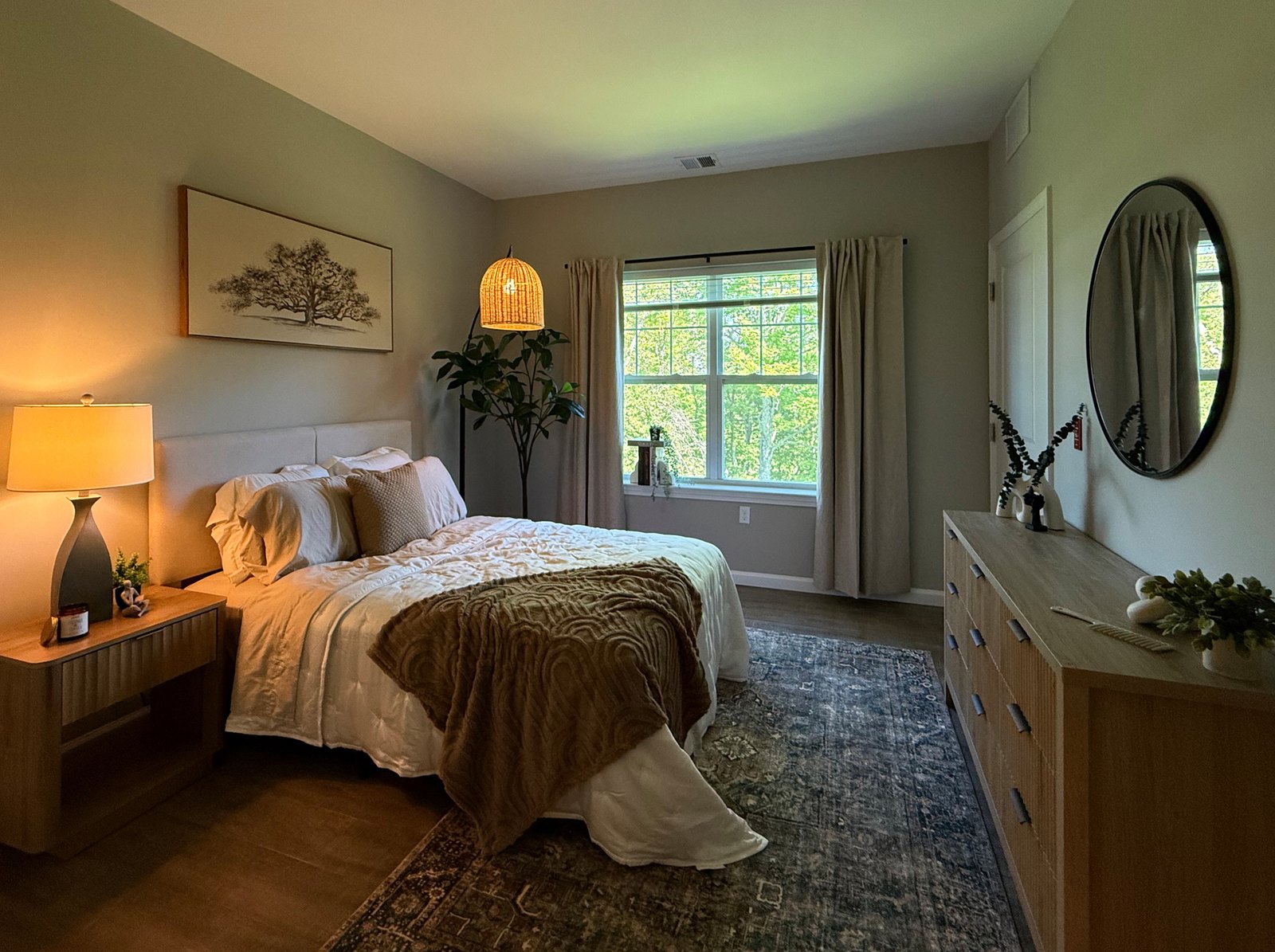
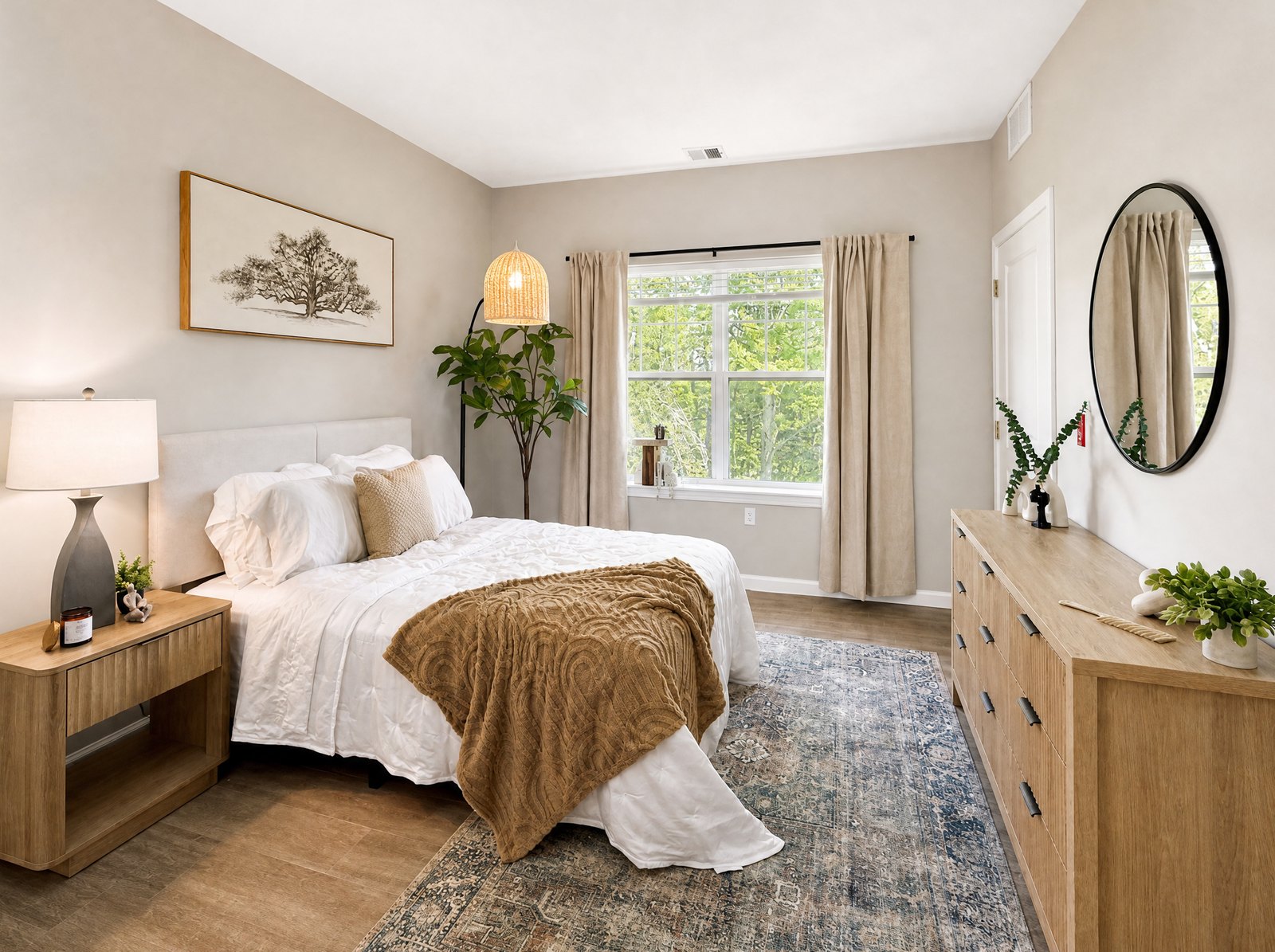
Several of these are what I built Listing Camera to help with. The iPhone app fixes light, color and exposure and helps correct crooked verticals and lens distortion, in the background while you keep shooting, about 30 to 40 seconds per photo. It doesn't add, remove or stage anything, so clutter and toilet seats are still on you. Exteriors always come back with a sunny blue sky, which is an edit you may need to disclose. Free to try with 3 enhancements.